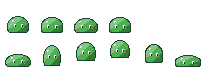
How to animate a sprite sheet in Roblox
- Add a GIF or the frames. The Roblox (1024 px) preset is already on: frames that don’t fit on one 1024 px sheet go on a second sheet, then a third.
- Download the ZIP — each sheet’s PNG with its JSON.
- Upload each PNG to Roblox and note its image ID. Every sheet is a separate image.
- Show one frame at a time in an ImageLabel: set
Imageto the sheet,ImageRectSizeto the frame’s size andImageRectOffsetto its position, then move the offset to the next frame on a timer.
Where the numbers go
| In the JSON | In Roblox |
|---|---|
frame.x, frame.y | ImageRectOffset: where the frame starts, in pixels from the top-left of the sheet |
frame.w, frame.h | ImageRectSize: the frame’s width and height, in pixels |
duration | How long to show the frame, in milliseconds |
meta.image | Which PNG the frame is on; with several sheets, each one has its own image ID |
On a grid sheet every frame is the same size, so ImageRectSize stays the same and only ImageRectOffset changes from frame to frame. For pixel art, set the ImageLabel’s ResampleMode to Pixelated to keep the pixels sharp when it’s scaled; Fix blurry pixel art has the same setting for other engines.
Why 1024 px
Images you upload to Roblox as decals are shrunk to fit 1024 × 1024. A shrunk sheet no longer matches the pixel positions in the JSON, so frames would be cut in the wrong place. Keeping each sheet within 1024 px avoids that.
- The preset spreads the frames over as many 1024 px sheets as needed and keeps an animation on one sheet when it fits.
- Fewer sheets: turn on Trim empty space, or use smaller frames. 64 × 64 frames fit 256 on a sheet; 128 × 128 frames fit 64.
- Roblox takes PNG, JPEG, BMP and TGA images — not GIF — which is why a GIF has to become a sprite sheet first.
Specs and limits
| Input | Animated GIF, PNG (APNG) or WebP; or PNG, JPG and WebP frames |
|---|---|
| Output | PNG sheets of at most 1024 × 1024 px, each with its JSON |
| Data | TexturePacker JSON with each frame’s position, size and duration; Aseprite JSON if you tick it |
| Privacy | Runs in your browser. Files are not uploaded. |
| Price | Free. No sign-up, no watermark. |
FAQ
How do I play a sprite sheet in Roblox?
Put the sheet in an ImageLabel, set ImageRectSize to one frame’s size, and step ImageRectOffset from frame to frame on a timer. The JSON lists every frame’s offset, size and duration.
Why is my sprite sheet blurry or cut wrong in Roblox?
Two common causes: the sheet was bigger than 1024 px and was shrunk when uploaded as a decal, so the frame positions no longer match — keep the Roblox preset on; or the ImageLabel smooths pixel art when it scales it — set ResampleMode to Pixelated.
Can I use a GIF in Roblox?
Not as a GIF: Roblox takes PNG, JPEG, BMP and TGA images. Turn the GIF into a sprite sheet here and play its frames with ImageRectOffset.
How many frames fit on one sheet?
It depends on the frame size: 64 × 64 frames fit 256 on a 1024 px sheet, 128 × 128 frames fit 64. The tool shows how many sheets you’ll get before you download.
Is it free? Are my files uploaded?
It’s free, with no sign-up and no watermark, and everything runs in your browser.
More free tools
- GIF to Spritesheet — any size and layout, with JSON or XML for game engines
- Sprite Sheet Maker — combine PNG frames and several animations into one sheet
- VRChat Emoji Sprite Sheet Generator — a GIF as a 1024 × 1024 animated emoji
- Sprite Sheet Cutter — split a sheet back into PNG frames, or get its data file
- GIF to Frames — save every frame of a GIF as its own PNG, with the delays